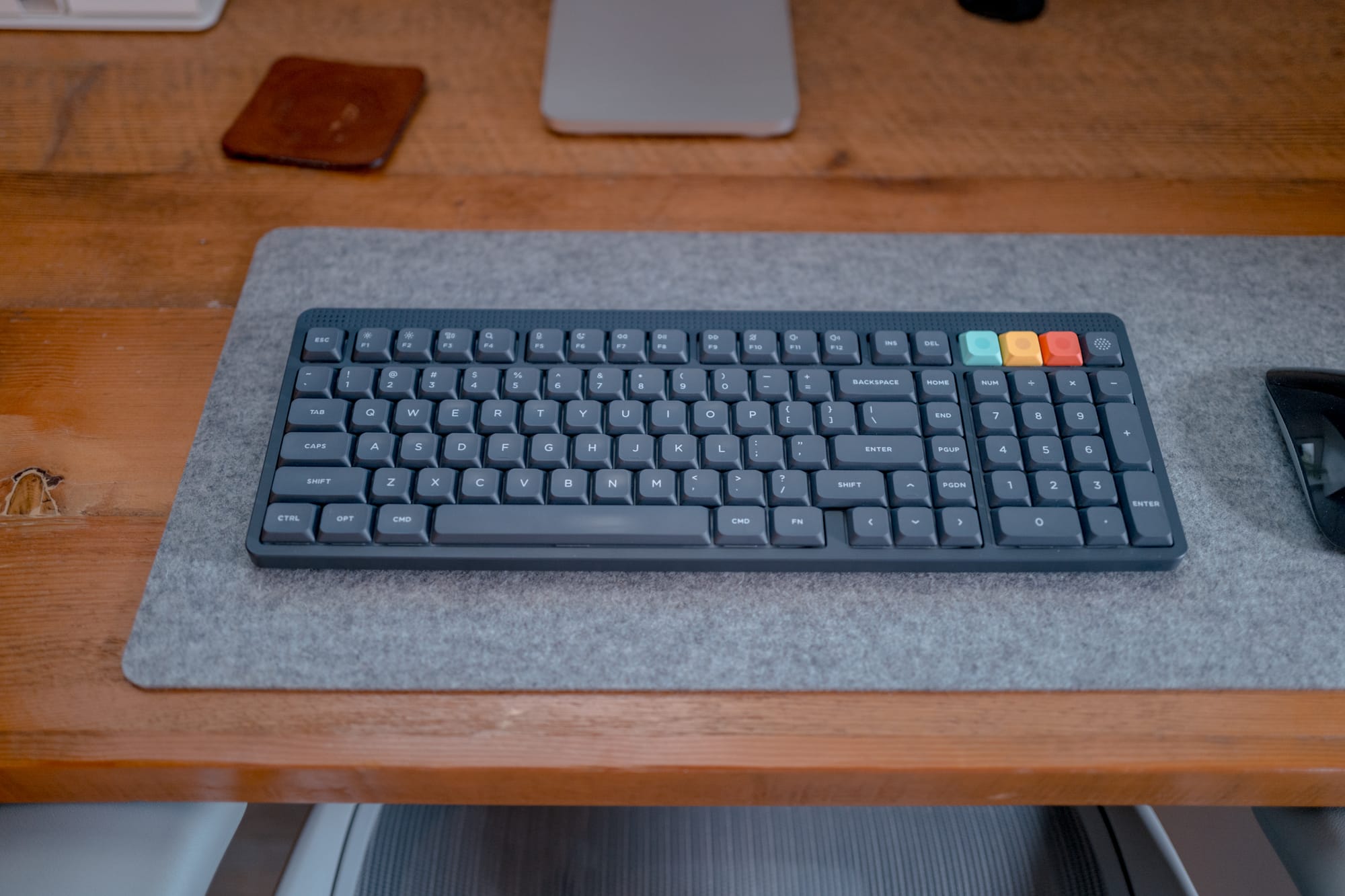
I’ve been allergic to low-profile keyboards in the past, for whatever reason. There aren’t as many of them on the market, and they all seem to have a compromise I’m not willing to deal with. The Nuphy Node 100, for the most part, is no different — there are compromises in this low-profile keyboard that keyboard aficionados will scoff at (me included!).
But the Node 100 has one ace up its sleeve: price. This has to be one of the best value mechanical keyboards I’ve ever used. At $100 USD, you simply cannot go wrong.
Materials, Fit, and Finish
For $100 worth of materials, you’re going to get what you pay for here. This is a fully plastic keyboard. It’s quite light to move around, and it has those cheaper ABS plastic keycaps that tend to look slightly shiny after a month or so of use. Materially, there are no miracles at work here.
I do quite like the aesthetic, though. The Node 100 comes in three different colours — Lunar White, Ink Gray, and Light Pink. Ink Gray is, indeed, gray. No matter what those images look like, it is not black, or space grey, or space black, in any way. This Ink Gray is far lighter than I was expecting, to the point that I don’t feel it would fit in an all-black setup. It looks great, but it isn’t black.
I like the bits of colour Nuphy have used to highlight special function keys. I immediately moved the green, yellow, and red keys into an orientation that works well for custom keyboard shortcuts in our tax software, and it looks flat out slick.
There are some feet on the underside that you can flip up to increase the typing angle. Again, they are plastic feet, so long-term durability may be poor, but it’s there if you’d like.
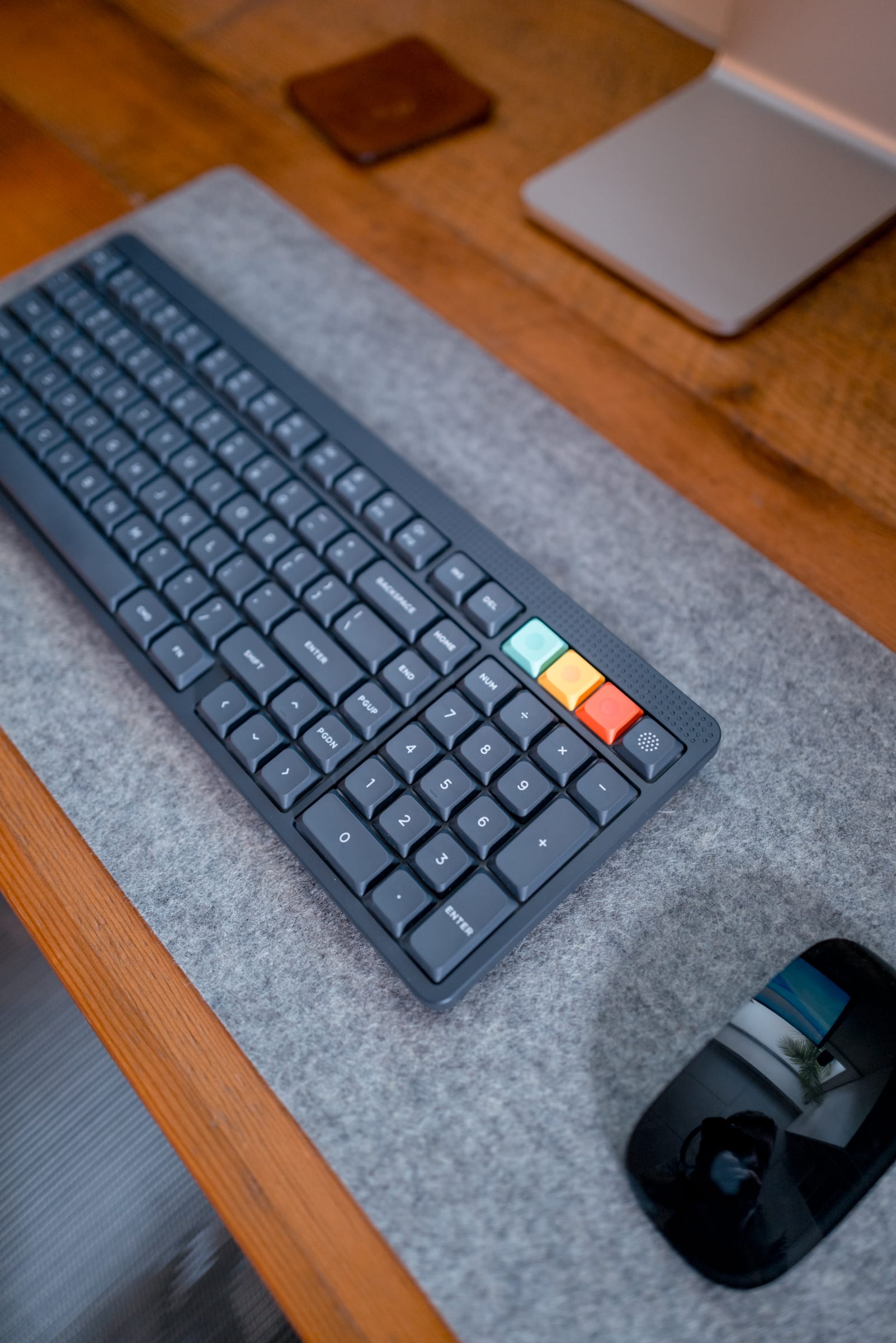
Lastly, layout: I’m a giant fan of the Node 100’s key layout. It’s a “100%” keyboard, but it has more of a 96% layout in the low-profile variety. Home, End, Page Up, and Page Down all line the right side of the Enter key, making room for a full-size zero key in the number pad. This is an ideal layout for a keyboard — you get a full zero, ensuring you don’t have to change any typing muscle memory, and you get a full-size plus key in the number pad. It is so difficult to find this layout in the keyboard world.
Overall, fit and finish is of the $100 price point. It’s not great, but it’s good considering the price. The most important physical parts of the Nude 100, more than anything, is its perfect layout for anyone needing numbers in their daily work.
Typing Feel
This is my first-ever set of linear switches. Nuphy has recently debuted Blush silent linear switches, in both low-profile and high-profile varieties, and they are a great option for those who work in an office environment or who work around sleeping children. They aren’t as quiet as the Durock Silent Shrimps I have in my high-profile keyboards, but these are entirely passable for quiet environments. I’d wager they are quieter than those ultra-cheap Logitech or Lenovo options you see on every cheap office desk.
I don’t mind the feel, either. I’m not sure linear is my favourite pick — when I get going, it’s easy to get hammering down and the lack of tactical bump provides no feedback on where in the downstroke you are.
The Blush switches are quite light — it does not take much to actuate a key switch on this keyboard. For quick, light typers, I imagine this would be a dream. I can get going at a brisk speed, but I’m not as light as typer as others. The result: I make many mistakes typing on the Nude 100. It’s easily my least effective keyboard in terms of accuracy.
I’m largely positive on the Node 100’s Blush switch feel. The keycaps are pretty large and flat, and the light switch makes for an effortless actuation. When it’s really time to bear down and get work done, I can fly on this thing — but I have to be willing to go back to correct my mistakes, or have AI do some extra heavy lifting on my written work.
Other Notes
For a $100 keyboard, there are a surprising number of additional features you gain here:
- The Node 100 can be used wired or wirelessly, and comes with a little USB-nubbin’ thing you can plug into your computer to bypass Bluetooth. I’ve just used Bluetooth and it has worked great.
- The keyboard has a touch-sensitive area in the top corner that you can use to increase volume, screen brightness, or any number of customizable settings. I’ve used the feature precisely once — it was a bit sensitive and I couldn’t properly dial in the volume I was looking for. I haven’t used the feature since.
- Battery life has been stellar. I haven’t charged it since I did the initial charge out of the box. I’ve used it for, let’s say, two days a week for the last few months. I’m pretty impressed with the battery life.
- The Blush switch options are pretty great and a worthwhile recommendation. If you don’t like them, you can swap them out, as the Node 100 is hot-swappable. Again, pretty impressive for a $100 keyboard.
Summary
This was a pretty simple review for a pretty simple keyboard. At this price point, you aren’t going to get every feature under the sun — a plastic chassis, cheaper keycap plastic, and an overall lighter and cheaper feel.
Where the Node 100 really shines is in its layout, standout battery life, and surprisingly good typing experience. I actually quite like the Blush Nano switches in the Node 100. Though they aren’t my favourite switch ever, these are an easy recommendation for any office environment.
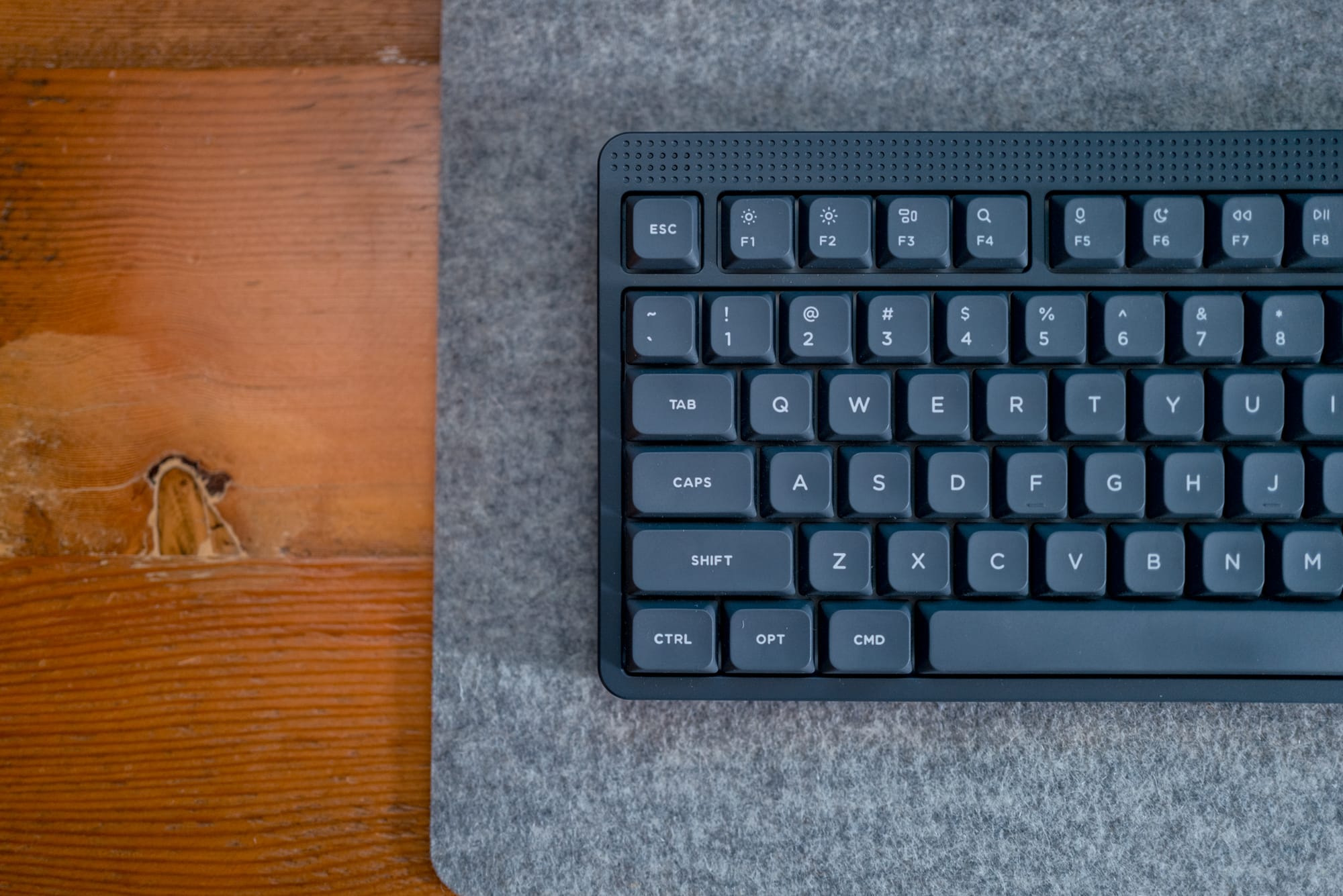
I’d recommend anyone take a look at the Node 100 to get a sense of whether a low profile mechanical keyboard makes sense for your desk, especially at $100. If you have any sense of mechanical keyboards at all, I’d suggest looking at the Air V3, and specifically if you use the 75% layout. My gripe with the Air V3 is the number pad layout — a half-zero key, and a pushing of the Home/End/PageUp/PageDown keys to the top right rather than providing a few extra function keys that you can map to special shortcuts. If you’re like me in this regard, you may be stuck with the Node 100 regardless.